
Note: It is recommended that you first create and sign in to your personal software account and then bind the license key to your account to activate the software on your device, so that you can reset and reactivate it directly from your software account when you change to a new device in the future.
The new Ashampoo Snap Pro 26 – with Live Edit for a new way to create screenshots
With Ashampoo Snap Pro 26, creating screenshots and videos is easier than ever! Everything that appears on your screen can be captured in seconds. In the image editor, you can edit, annotate, save, and share your captures instantly. New: With Live Edit, you can even mark content directly on your Desktop before the screenshot is taken. Snap Pro 26 also enhances your screenshots with graphical elements such as automatic numbering, comments, stickers, and more. Whether you're working from home, explaining something quickly, or creating detailed tutorials, Snap Pro 26 lets you get the job done faster.
- Screenshots and video recordings with scrolling function, sound option and quick access via hotkeys
- Direct editing with text, highlighting, numbering, blur tools and a handy screenshot library
- Ideal for instructions, tutorials and documentation with flexible export as PNG, JPG, PDF and cloud upload
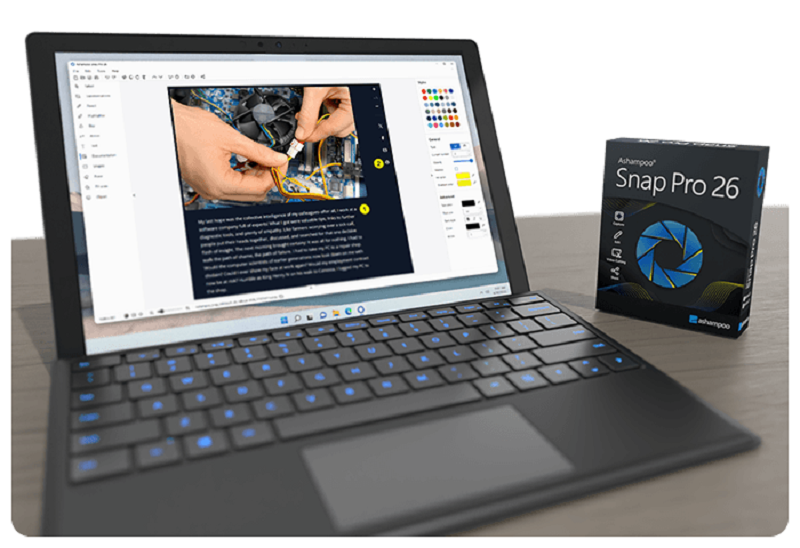
Live Edit–Mark directly on your desktop
Live Edit places a transparent layer like a sheet of glass over your screen. On this layer, you can draw arrows, add text, or highlight areas directly on top of the content you want to explain. Unlike traditional screenshot tools, your screen does not freeze during this process. You can switch back to your Desktop at any time to move windows, adjust content, or let a video continue playing, and then continue working on your annotations. This way, the final screenshot evolves step by step without having to restart the process.
Prepare and create screenshots faster
With Live Edit, multiple screenshots can be prepared and created within a single workflow. Annotations remain visible while you continue working on your Desktop and can be adjusted at any time. Especially with large workspaces or multi-monitor setups, Live Edit provides plenty of screen estate to organize content clearly. The final screenshot is then created directly from the Live Edit view–What you see is always what you get!
Better performance, stability and resource efficiency
The new Ashampoo Snap is built on a fully modernized technical foundation: The program starts faster, responds more quickly, and operates more smoothly overall. At the same time, memory usage and background process activity has been significantly reduced so Snap remains responsive and stable even during longer sessions. This new foundation improves everyday performance while also preparing Snap for future enhancements and new features.
Enhanced workflow and modernized interface
We’ve refined key details to make Snap smoother and more intuitive. The smarter toolbar and redesigned properties bar improve usability, while the updated color scheme enhances readability and reduces eye strain. Quick Scroll now includes an automatic thumbnail preview for easier navigation through large captures.
More practical improvements
Core features have been further optimized: Cliparts support drag-and-drop, image imports are smoother, and tools like the arrow tool offer greater precision. New email-friendly output formats are available, the print dialog now supports centimeter margins, and video exports include adjustable quality settings.
Smart desktop capturing and sharing
Snap’s Magic Eye detects elements under your cursor and enables instant one-click captures with pixel accuracy. It also supports custom regions, freehand selections, and scrolling captures. Sharing remains flexible with options like email and Ashampoo Web.
Optical character recognition (OCR) for your screenshots
Snap now supports over 180 languages. The improved OCR uses Windows language packs for faster, more accurate results. By default, only installed system languages are enabled, with more easily added via the “Add language” option.
Fast and easy video cutting
Easily trim unwanted parts, remove ads or glitches, or split recordings into segments. Whether for quick captures or full presentations, Snap helps you create clean, polished videos effortlessly.
Create videos for any purpose
Creating instructional videos or documentaries is a breeze with Ashampoo Snap. Recordings are live-annotable with texts, drawings and voice narration. Clear things up with visualized mouse clicks and key strokes and add watermarks to protect your intellectual property. Take it to the next level and add live feeds from your webcam in a single click. Here's your ticket to create engaging tutorials, prepare instructive webinars and to point the way to the things that matter most to you–literally!
Perfect for different screen resolutions and multi-display environments
Ashampoo Snap fully supports multi-display setups, even with different resolution and DPI combinations, e.g. mixed Full HD and 4K environments. Each display is captured at its individual resolution for maximum crispness and results are instantly editable. And once you're in the editor, it's smooth sailing for beginners and professionals alike!
Create GIFs from any video
What would the internet be without those charming GIF animations? But GIFs can also be used in tutorials or demonstrations to great effect. Ashampoo Snap can turn any video segment into GIFs. Just set the start and end positions, fire up the built-in converter and you're done!
More than a snipping tool: extensive comfort features
Ashampoo Snap does most of the heavy lifting for you. Automatic numbering or time-delayed captures will help you make the most of your shots. Freely annotate your captures with texts and drawings or use flood fills. Put the spotlight on individual portions, blur sensitive data and use the highlighter to direct attention in style!
Capture desktop contents and save videos or images from the internet
The internet is brimming with fascinating images, texts and videos. Ashampoo Snap makes it easy to capture what you like! Save image and videos and edit them on the fly and to your liking! Anything you see on your screen, or hear through your sound card, Snap can capture!